PDF AI
探索 Android 与美国 iOS 上架项目中介绍的文档问答、播客风格音频、幻灯片和可视化摘要功能。
下载前,请查看您设备对应的上架项目,了解具体功能和应用内购买项目。
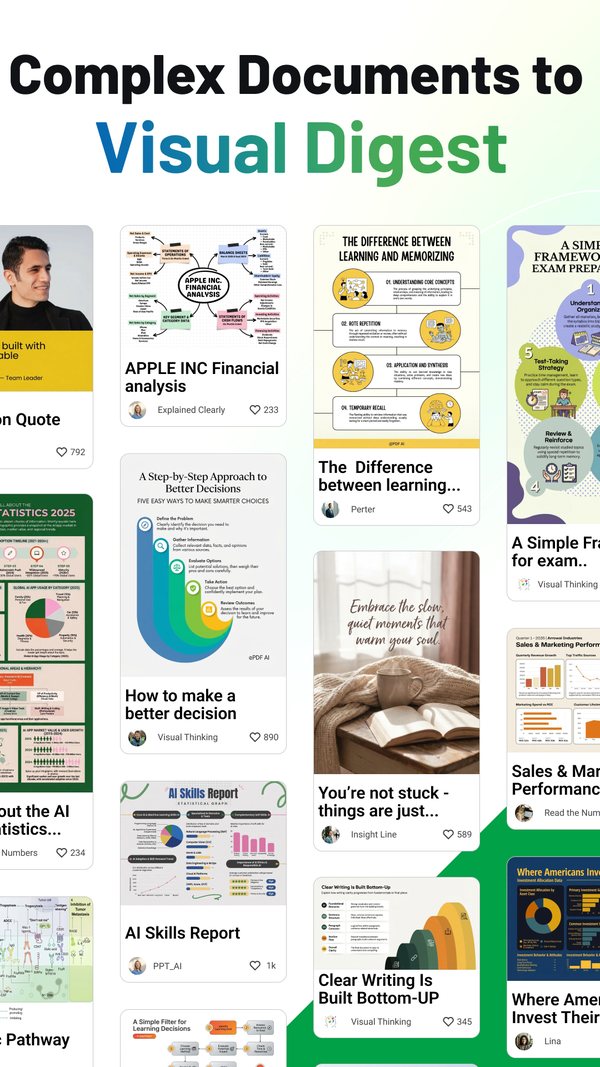

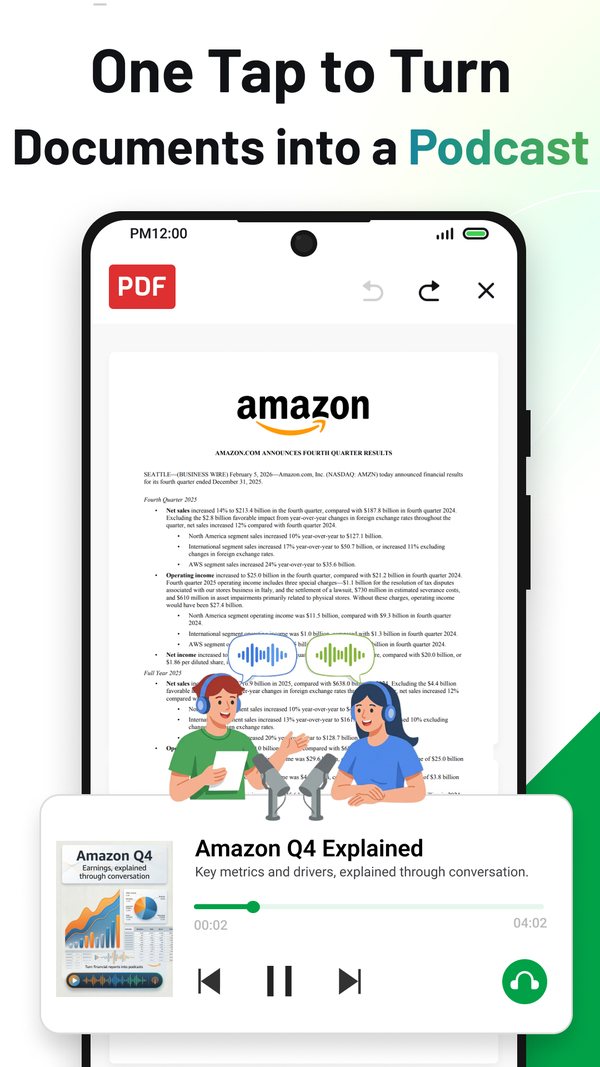
一个名称,两个上架项目
这两个标题并未列出相同的三项功能。Google Play 主打播客、笔记和幻灯片;App Store 主打编辑器、扫描仪和聊天。
Google Play。标题为“PDF AI: Podcast, Notes, Slides”。简短描述为“Turn any document into a podcast, slides, or visual digest”。软件包为 chatpdf.pro。显示的开发者名称为 NEXT AI Lab,关于开发者部分则写明 Sophon LLC,地址为 30 N Gould St Ste N, Sheridan, WY 82801-6317, United States。信息于 2026 年 9 月 16 日读取自 Google Play 上架项目。
App Store。标题为“PDF AI: Editor, Scanner, Chat”。包标识符为 pdf.editor.pro。显示的销售商名称为 Yang Yang,这是一个个人销售商账户而非公司名称,上架项目中的销售商网址为 sophoninc.com。信息于 2026 年 9 月 16 日读取自 App Store 上架项目。
我们发布的每个上架项目背后的名称都在我们的商店上架项目由谁运营中列出。
各上架项目声明的内容
每项功能占一行,每个商店占一列,每个单元格内是该商店发布的措辞。破折号表示该描述未声明此功能。
引自各上架项目自身的描述文本,于 2026 年 9 月 16 日读取。App Store 一列为美国店面,其文本并非所有店面都提供。
| 功能 | Google Play 的说法 | App Store(美国)称 |
|---|---|---|
| 从文件中回答问题 | “Smart Q&A: answers and explanations grounded in your document” | “Chat with PDFs: Ask questions and get instant answers from documents.” |
| 总结长文件 | “clear answers, summaries, and action items you can act on” | “Summarize smarter: Turn long PDFs, reports, papers, and books into clear key points.” |
| 从文件生成播客风格的音频 | “Audio Learning: podcast-style audio from your files” | 在“Generate with AI”下:“podcast-style audio” |
| 从文件生成幻灯片 | “AI Slides: turn documents into polished presentations instantly” | 在“Generate with AI”下:“Create slides… from documents” |
| 视觉摘要或洞察卡片 | “a high-impact visual digest you can remember” | 在“Generate with AI”下:“visual digests, and insight cards” |
| 思维导图和图表 | “Visual notes: structured takeaways, mind maps, and academic-style charts” | — |
| 在文件中搜索 | “AI Search: find key facts, definitions, tables, and references fast” | 在 VIP 下:“full‑text search” |
| 与文本一起阅读表格、图示和图像 | “Multimodal understanding: handle text, images, tables, figures, and slides” | — |
| 扫描纸质文件 | “Scan paper documents into clean PDFs” | “Scan & organize: Scan documents, extract text with OCR, search, manage, and work offline securely.” |
| 从扫描件中提取的文本(OCR) | — | 在“Scan & organize”下:“extract text with OCR” |
| 高亮和批注 | “Highlight, annotate, comment, and markup” | “Annotate & collaborate: Highlight, underline, notes, sketches, comments, and share.” |
| 在文件中编辑文本和图像 | “Edit text & images inside your files” | “Edit PDFs: Modify text, images, and layout with precision.” |
| 签名 | “Create digital signatures” | “Fill & sign: Complete interactive forms and e‑sign on the go.” |
| 交互式表单 | — | 在“Fill & sign”下:“Complete interactive forms” |
| 转换为其他格式 | “Convert PDF to Word or TXT with high accuracy” | “Convert fast: PDF ⇄ Word/Excel/PPT/Images/TXT with high fidelity.” |
| 阅读模式与书签 | — | “Read smarter: AI summaries, highlights, bookmarks, day/night/Sepia.” |
| 与云存储同步 | “Sync via Google Drive, Dropbox, Box & OneDrive” | — |
| 分享 | “Share or print instantly” | 在“Annotate & collaborate”下:“and share” |
| 打印 | “Share or print instantly” | — |
| 打开受密码保护的文件 | “Open password-protected PDFs securely” | — |
| 大文件 | “Smooth performance even on large files” | “Lightning-fast viewer for large PDFs.” |
| 离线工作 | — | 在“Scan & organize”下:“work offline securely” |
| 批量处理 | — | 在“VIP”下:“batch processing” |
| 本地处理与加密 | — | 在“Why it’s better”下:“Privacy-first: local processing and strong encryption.” |
| 输出无水印 | — | 在“Why it’s better”下:“Professional output, zero watermarks for subscribers.” |
| 描述中提及的模型供应商 | “Powered by Gemini 3.0, GPT-5, Claude 4.5, DeepSeek AI, and Nano Banana Pro.” | — |
模型供应商信息来自 Google Play 的描述,并非由我们测量。破折号表示描述中未声称具备该功能,但不代表该应用一定不具备。
对照原文核对答案。 这是一条通用阅读建议,并非对任一应用程序控件的描述:在复用 AI 的答案前,请打开原始 PDF 文件,找到支持每项重要论述的段落。将数字、单位、日期和限定条件与上下文进行比较;对于表格,请检查行标题、列标题和脚注。如果找不到支持文本,请将该论述标记为未经核实,并在核实前将其排除在您的摘要之外。一个自信的答案不能替代原始来源。
正在处理扫描件?在总结扫描文本之前,请练习检查标识符、单位和表示批准的词语。
正在收听 PDF 播客吗?对照源 PDF 文件核查一条音频中的说法,记录下音频版本、播放区间和来源段落。这是一种手动核查方法,并非对 PDF AI 控件的描述。
正在编辑 PDF?在分享保存的文件前,请使用此手动核对清单。检查页数和顺序、所要求的更改,以及必须保持不变的文本。这是一般的审阅建议,并非关于 PDF AI 的编辑功能或 Adobe 集成的声明。
App Store 在美国境外的描述有所不同
上方的功能列表为美国区文本。其他四个店面使用更短的版本。
两种文本,一个上架项目。美国区描述长 1,747 个字符。提供给英国、加拿大、澳大利亚和印度的描述长 1,163 个字符,除了澳大利亚版本中有一个标点符号不同外,文本内容彼此相同。
较短文本删减了什么。它没有“Chat with PDFs”要点,没有“Summarize smarter”要点,也没有“Generate with AI”要点,并且全文没有提及 OCR。两段文本都以同一句话开头:“AI-powered PDF toolkit built for speed, security, and clarity.”。其后的句子不同:较短的文本是“Edit, read, convert, and collaborate—without friction”,而美国区的文本是“Chat with PDFs, summarize long documents, generate slides, create podcast-style audio, scan, edit, convert, sign, and collaborate—without friction”。
不变之处。在所有五个商店中,标题均为“PDF AI: Editor, Scanner, Chat”,版本号均为 2.6.1。于 2026 年 9 月 16 日从 itunes.apple.com/lookup?id=6581489325&country= 读取,适用于 us、gb、ca、au 和 in。
各商店发布的关于构建版本的信息
如果某个商店未发布任何信息,该行会注明如此,而不是借用其他商店的值。
所有数值均于 2026 年 9 月 16 日从 Google Play 上架项目页面和 Apple 的美国店面查询端点读取。
| 详情 | Google Play | App Store |
|---|---|---|
| 平台 | Android | iOS |
| 上架项目标题 | PDF AI: Podcast, Notes, Slides | PDF AI: Editor, Scanner, Chat |
| 标识符 | chatpdf.pro(程序包) |
pdf.editor.pro(捆绑包) |
| 显示的发布者名称 | NEXT AI Lab | Yang Yang |
| 类别 | 效率 | 效率,工具 |
| 内容分级 | 所有人 | 4+ |
| 当前版本 | 4.22.0 | 2.6.1 |
| 该版本日期 | 2026 年 8 月 10 日,显示为“Updated on Aug 10, 2026”。 | 2026年9月3日 |
| 首次发布 | 2023年4月1日,请参阅关于页面数据的说明 | 2024年8月8日 |
| 最低操作系统 | Android 9,请参阅关于页面数据的说明 | iOS 15.0 |
| 下载大小 | 未在上架项目中发布 | 177,053,696 字节 |
| 界面语言 | 未在上架项目中发布 | 声明了 27 种,见语言列表 |
| 安装价格 | 免费 | 免费 |
| 广告与内购 | “Contains ads”;应用内购买“$0.99 - $99.99 per item” | 无广告标签;描述中提及“VIP (auto‑renewable subscriptions)”,并说明“Monthly or yearly plans available” |
Google Play 的网页版上架项目不显示首次发布日期和最低 Android 版本。这两个值都来自该上架项目页面中嵌入的数据,其中包含发布日期 2023 年 4 月 1 日和最低 SDK 28,即 Google 标记为 Android 9 的 SDK 级别。这两个数据都不会向浏览页面的访客显示。
App Store 上架项目中的 27 个界面语言条目:AR、CS、NL、EN、FR、DE、EL、HE、HI、HU、ID、IT、JA、KO、MS、PL、PT、RO、RU、ZH、SK、ES、TH、ZH、TR、UK、VI。ZH 出现两次,因此有 26 个不同的代码。两个上架项目均未公布订阅计划的价格,因此本页未引用月度或年度费用。
安装量、评分及其计算方式
以下每个数字仅适用于本产品,在其发布的商店,于读取之日的数据。
Google Play 对每个上架项目统计一次评分;Apple 对每个店面分别统计,因此 App Store 的行是独立的数据,而不是全球总计的一部分。
| 上架项目 | 安装量 | 评分数 | 平均分 | 读取于 |
|---|---|---|---|---|
| Google Play | 1,000,000+(一个范围,因此 1,000,000 是下限) | 13,050 | 显示为 4.6,实际为 4.61 | 2026 年 9 月 27 日 |
| App Store,美国 | 未发布 | 152 | 4.80 | 2026 年 9 月 27 日 |
| App Store,英国 | 未发布 | 24 | 4.71 | 2026 年 9 月 27 日 |
| App Store,加拿大 | 未发布 | 12 | 4.83 | 2026 年 9 月 27 日 |
| App Store,澳大利亚 | 未发布 | 9 | 4.67 | 2026 年 9 月 27 日 |
| App Store,印度 | 未发布 | 25 | 4.60 | 2026 年 9 月 27 日 |
Google Play 以范围而非确切数量发布安装量,因此该行带有加号,且未对其进行算术运算。该上架项目显示 “1M+” 安装量和 “4.6 star 13K reviews”;13,050 的确切评分数是从该上架项目嵌入的页面数据中读取的,该数据还带有一个未标记的数字 554,上架项目既未显示也未命名。App Store 在任何店面均不发布安装量,其平均分是根据 Apple 的查询端点返回的值(4.80263、4.70833、4.83333、4.66667 和 4.59999)四舍五入到两位小数。评分数会双向变动,因此该计数附有日期:数据统计方法 在同一天为 Google Play 上架项目记录了相同的 13,050,并说明了全公司数据的加总方式。
文档去向
Google Play 上架项目声明其隐私政策为 sophoninc.com/privacy,App Store 描述中则指明 sophoninc.com/privacy.html,两者都打开NEXT AI Lab 隐私政策,政策地图记录该政策适用于此产品。关于我们的每款产品如何处理您在其中打开的文件,请在您的文件会发生什么中按产品查看具体说明。