PDF AI
探索 Android 與美國 iOS 上架項目中所描述的文件問答、podcast 風格音訊、投影片和視覺化摘要。
下載前,請查看您裝置的上架項目以了解功能和應用程式內購買項目。
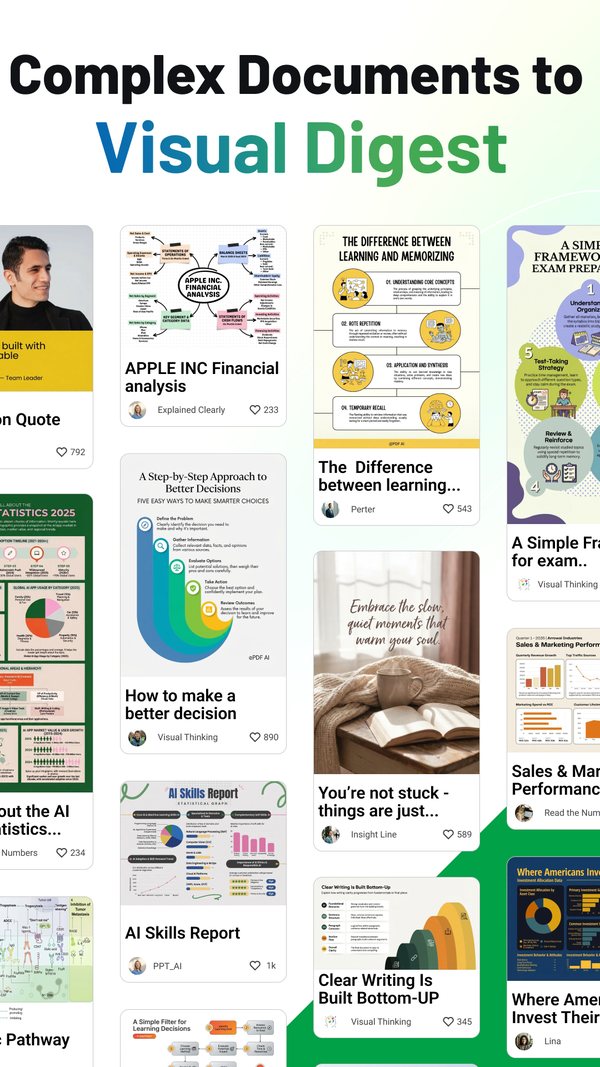

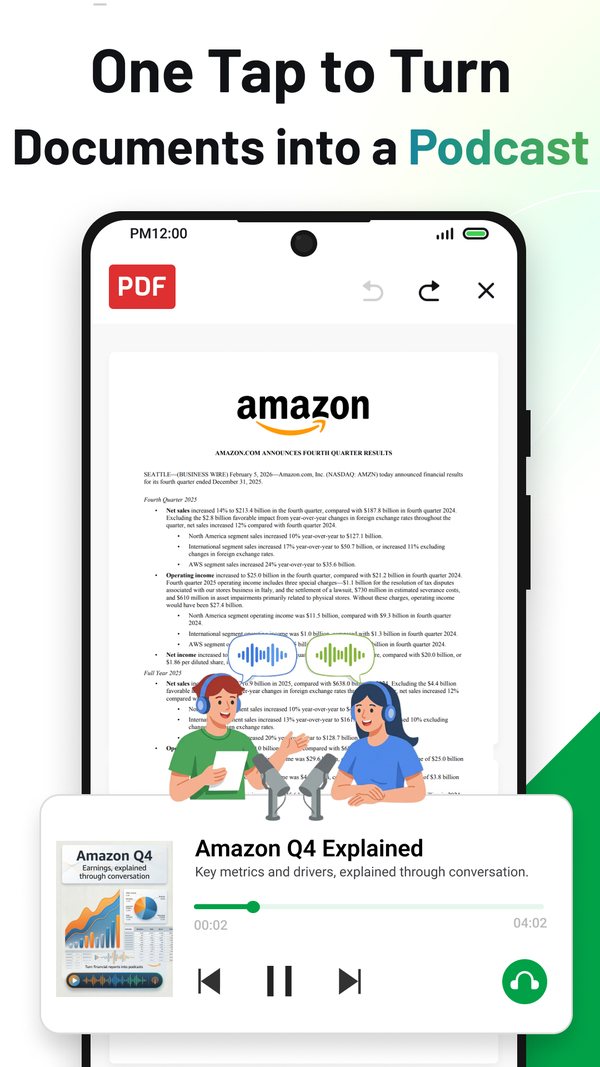
一個名稱,兩個上架項目
兩者的標題並未指名相同的三件事。Google Play 主打 podcast、筆記和投影片;App Store 主打編輯器、掃描器和聊天。
Google Play。標題為「PDF AI: Podcast, Notes, Slides」。簡短說明為「Turn any document into a podcast, slides, or visual digest」。套件為 chatpdf.pro。顯示的開發者名稱為 NEXT AI Lab,而「關於開發者」區塊則將 Sophon LLC 列於 30 N Gould St Ste N, Sheridan, WY 82801-6317, United States。於 2026 年 9 月 16 日在 Google Play 上架項目上讀取。
App Store。標題為「PDF AI: Editor, Scanner, Chat」。套件識別碼為 pdf.editor.pro。顯示的賣家名稱為 Yang Yang,此為個人賣家帳號而非公司名稱,且上架項目上的賣家網址為 sophoninc.com。於 2026 年 9 月 16 日在 App Store 上架項目上讀取。
我們發布的每個上架項目,其背後的名稱都載明於我們的商店上架項目營運者頁面。
各個上架項目的宣稱
每一列代表一項功能,每一欄代表一個商店,而每個儲存格中的文字是該商店發布的用詞。一個長破折號表示該說明未聲稱具備此功能。
引述自各上架項目於 2026 年 9 月 16 日讀取的描述文字。App Store 欄位為美國店面,其文字並非每個店面都提供。
| 功能 | Google Play 的說法 | App Store(美國)的說法 |
|---|---|---|
| 從文件中回答問題 | “Smart Q&A: answers and explanations grounded in your document” | “Chat with PDFs: Ask questions and get instant answers from documents.” |
| 總結長文件 | “clear answers, summaries, and action items you can act on” | “Summarize smarter: Turn long PDFs, reports, papers, and books into clear key points.” |
| 從文件生成 podcast 風格的音訊 | “Audio Learning: podcast-style audio from your files” | 在「Generate with AI」下:「podcast-style audio」 |
| 從文件生成投影片 | “AI Slides: turn documents into polished presentations instantly” | 在「Generate with AI」下:「Create slides… from documents」 |
| 視覺化摘要或洞見卡片 | “a high-impact visual digest you can remember” | 在「Generate with AI」下:「visual digests, and insight cards」 |
| 心智圖與圖表 | “Visual notes: structured takeaways, mind maps, and academic-style charts” | — |
| 在文件內部搜尋 | “AI Search: find key facts, definitions, tables, and references fast” | 在「VIP」下:「full‑text search」 |
| 與內文一併讀取表格、圖形與影像 | “Multimodal understanding: handle text, images, tables, figures, and slides” | — |
| 掃描紙本文件 | “Scan paper documents into clean PDFs” | “Scan & organize: Scan documents, extract text with OCR, search, manage, and work offline securely.” |
| 從掃描檔擷取的文字(OCR) | — | 在「Scan & organize」下:「extract text with OCR」 |
| 畫重點與註釋 | “Highlight, annotate, comment, and markup” | “Annotate & collaborate: Highlight, underline, notes, sketches, comments, and share.” |
| 在檔案內部編輯文字與影像 | “Edit text & images inside your files” | “Edit PDFs: Modify text, images, and layout with precision.” |
| 簽名 | “Create digital signatures” | “Fill & sign: Complete interactive forms and e‑sign on the go.” |
| 互動式表單 | — | 在「Fill & sign」底下:「Complete interactive forms」 |
| 轉換為其他格式 | “Convert PDF to Word or TXT with high accuracy” | “Convert fast: PDF ⇄ Word/Excel/PPT/Images/TXT with high fidelity.” |
| 閱讀模式與書籤 | — | “Read smarter: AI summaries, highlights, bookmarks, day/night/Sepia.” |
| 與雲端儲存同步 | “Sync via Google Drive, Dropbox, Box & OneDrive” | — |
| 分享 | “Share or print instantly” | 在「Annotate & collaborate」底下:「and share」 |
| 列印 | “Share or print instantly” | — |
| 開啟受密碼保護的檔案 | “Open password-protected PDFs securely” | — |
| 大型檔案 | “Smooth performance even on large files” | “Lightning-fast viewer for large PDFs.” |
| 離線工作 | — | 在「Scan & organize」底下:「work offline securely」 |
| 批次處理 | — | 在 VIP 底下:「batch processing」 |
| 本機處理與加密 | — | 在「Why it’s better」底下:「Privacy-first: local processing and strong encryption.」 |
| 輸出無浮水印 | — | 在「Why it’s better」底下:「Professional output, zero watermarks for subscribers.」 |
| 說明中指名的模型供應商 | “Powered by Gemini 3.0, GPT-5, Claude 4.5, DeepSeek AI, and Nano Banana Pro.” | — |
模型供應商的名稱來自 Google Play 的描述,並非由我們測量。破折號表示該描述未聲稱具備此功能,但不代表該應用程式缺乏此功能。
將答案與原文核對。 這是一般的閱讀建議,而非任一應用程式控制項的說明:在重複使用 AI 的答案前,請打開原始 PDF,並找到支持每個重要主張的段落。將數字、單位、日期和限定條件與上下文進行比較;對於表格,請檢查行與列的標題及註腳。如果您找不到佐證文字,請將該主張標記為未經核實,並在能夠查證前將其從您的摘要中排除。一個充滿自信的答案不能取代來源本身。
處理掃描檔嗎?在總結掃描文字前,練習檢查識別碼、單位和批准詞語。
正在收聽 PDF 的 Podcast 嗎?核對音訊說法與來源 PDF,並記錄音訊版本、播放區間和來源段落。這是一種手動審核方法,而非 PDF AI 的功能說明。
要編輯 PDF 嗎?在分享儲存的檔案前,請使用這份手動檢查清單。檢查頁數與順序、請求的變更,以及必須維持不變的文字。這是一般性的審閱建議,並非關於 PDF AI 編輯功能或 Adobe 整合的聲明。
App Store 的說明在美國以外地區會變更
上方的功能欄位是美國地區的文字。其他四個商店頁面則提供較短的版本。
兩種文字,一個上架項目。美國地區的描述有 1,747 個字元。提供給英國、加拿大、澳洲和印度的描述則有 1,163 個字元,除了澳洲版本中的一個標點符號外,彼此的文字內容相同。
較短版本刪減的內容。它沒有「Chat with PDFs」項目、沒有「Summarize smarter」項目,也沒有「Generate with AI」項目,且全文未提及 OCR。兩種版本都以同一句話開頭:「AI-powered PDF toolkit built for speed, security, and clarity.」。但下一句話不同:較短的版本是「Edit, read, convert, and collaborate—without friction」,而美國版本則是「Chat with PDFs, summarize long documents, generate slides, create podcast-style audio, scan, edit, convert, sign, and collaborate—without friction」。
維持不變的部分。在所有五個店面的標題皆為「PDF AI: Editor, Scanner, Chat」,版本為 2.6.1。於 2026 年 9 月 16 日從 itunes.apple.com/lookup?id=6581489325&country= 讀取 us、gb、ca、au 及 in 的資料。
各商店發布的建置相關資訊
若某個商店未發布任何資料,該列會註明此事,而非借用其他商店的數值。
所有數值皆於2026年9月16日讀取自 Google Play 上架項目頁面,以及 Apple 的美國店面查詢端點。
| 細節 | Google Play | App Store |
|---|---|---|
| 平台 | Android | iOS |
| 上架項目標題 | PDF AI: Podcast, Notes, Slides | PDF AI: Editor, Scanner, Chat |
| 識別碼 | chatpdf.pro(套件) |
pdf.editor.pro(組合包) |
| 顯示的發行者名稱 | NEXT AI Lab | Yang Yang |
| 類別 | 生產力工具 | 生產力工具、工具 |
| 內容分級 | 全年齡 | 4+ |
| 目前版本 | 4.22.0 | 2.6.1 |
| 該版本日期 | 2026年8月10日,顯示為「Updated on Aug 10, 2026」 | 2026年9月3日 |
| 首次發行 | 2023年4月1日,請參閱頁面資料說明 | 2024年8月8日 |
| 最低作業系統 | Android 9,請參閱頁面資料說明 | iOS 15.0 |
| 下載大小 | 未於上架項目中發布 | 177,053,696 位元組 |
| 介面語言 | 未於上架項目中發布 | 宣告 27 種,見語言列表 |
| 安裝價格 | 免費 | 免費 |
| 廣告與購買 | 「Contains ads」;應用程式內購買「$0.99 - $99.99 per item」 | 無廣告標籤;說明中提及「VIP (auto‑renewable subscriptions)」,並註明「Monthly or yearly plans available」 |
Google Play 的網路上架項目未顯示首次發布日期與最低 Android 版本。這兩項數值來自該上架項目頁面中內嵌的資料,其發布日期為2023年4月1日,最低 SDK 為 28,即 Google 標示的 Android 9。這兩項數據都不會向瀏覽頁面的訪客顯示。
App Store 上架項目列出的27種介面語言:AR、CS、NL、EN、FR、DE、EL、HE、HI、HU、ID、IT、JA、KO、MS、PL、PT、RO、RU、ZH、SK、ES、TH、ZH、TR、UK、VI。ZH 出現兩次,因此有26個不同的代碼。兩個上架項目均未公布訂閱方案的價格,因此本頁面未引用月費或年費數字。
安裝量與評分及其計算方式
以下每個數字僅適用於本產品,於其發布的商店,在讀取當日的資料。
Google Play 為每個上架項目計算一次評分;Apple 則為每個店面計算一次,因此 App Store 的各列是獨立的數字,而非全球總計的一部分。
| 上架項目 | 安裝量 | 評分 | 平均 | 讀取於 |
|---|---|---|---|---|
| Google Play | 1,000,000+(此為一個範圍,所以 1,000,000 是下限) | 13,050 | 顯示 4.6,底層為 4.61 | 2026 年 9 月 27 日 |
| App Store,美國 | 未發布 | 152 | 4.80 | 2026 年 9 月 27 日 |
| App Store,英國 | 未發布 | 24 | 4.71 | 2026 年 9 月 27 日 |
| App Store,加拿大 | 未發布 | 12 | 4.83 | 2026 年 9 月 27 日 |
| App Store,澳洲 | 未發布 | 9 | 4.67 | 2026 年 9 月 27 日 |
| App Store,印度 | 未發布 | 25 | 4.60 | 2026 年 9 月 27 日 |
Google Play 發布的安裝次數是區間而非確切計數,因此該列帶有加號且未對其進行算術運算。該上架項目顯示「1M+」次安裝和「4.6 star 13K reviews」;13,050 的確切評分計數是從上架項目的嵌入式頁面資料中讀取的,該資料還帶有第二個未標示的計數 554,上架項目既未顯示也未命名。App Store 在任何店面均不發布安裝次數,其平均值是從 Apple 查詢端點回傳的值(4.80263、4.70833、4.83333、4.66667 和 4.59999)四捨五入至小數點後兩位。評分會雙向變動,因此計數有日期註記:數據計算方式 在同日記錄了 Google Play 上架項目的相同 13,050 次,並說明了全公司數據的加總方式。
文件的去向
Google Play 上架項目聲明其隱私權政策為 sophoninc.com/privacy,而 App Store 的說明則標明 sophoninc.com/privacy.html,兩者皆會開啟NEXT AI Lab 隱私權政策,政策對應表記錄此政策適用於本產品,而我們各項產品如何處理您在其中開啟的檔案,則依產品分別說明於您的檔案後續處理。